
One record. More useful everywhere.
Use shared people, fleet and company details across modules. Spend less time re-keying the same information.
PeopleWorkflowsEvidence
Connect your team records The toolbox for UK contractors
From the first RAMS to the last signed-off snag, see what needs attention and find the record behind it.
Card required. Paid plans renew automatically after 30 days at the selected monthly rate plus applicable VAT. See pricing.
Sample site · Office refurbishment
Follow one project from the paperwork through to the signed-off work. Open the records as you go.

The supervisor has shared the current method statement. Owen Hughes still needs to acknowledge it before the crew starts this package of work.
Leah has completed the site induction. The supervisor can find her induction record separately from the site sign-in log.
Follow a failed fire door check from the original finding to the signed-off repair.
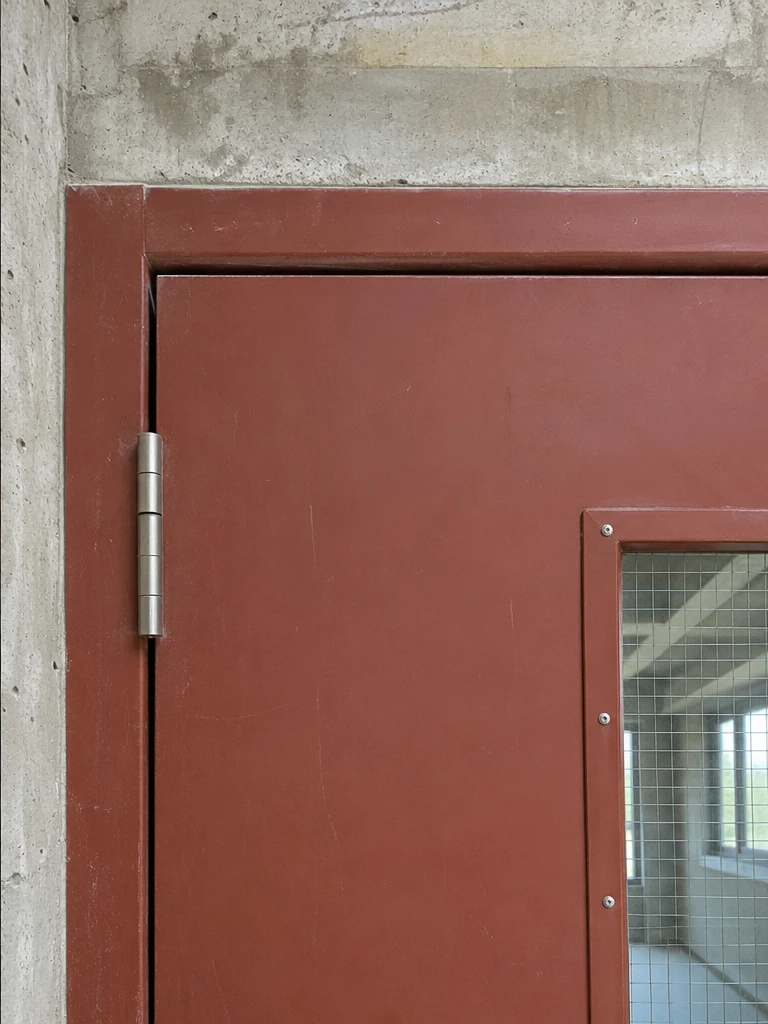
The gap along the top of the door is uneven. Adjust the door and recheck against the specification.
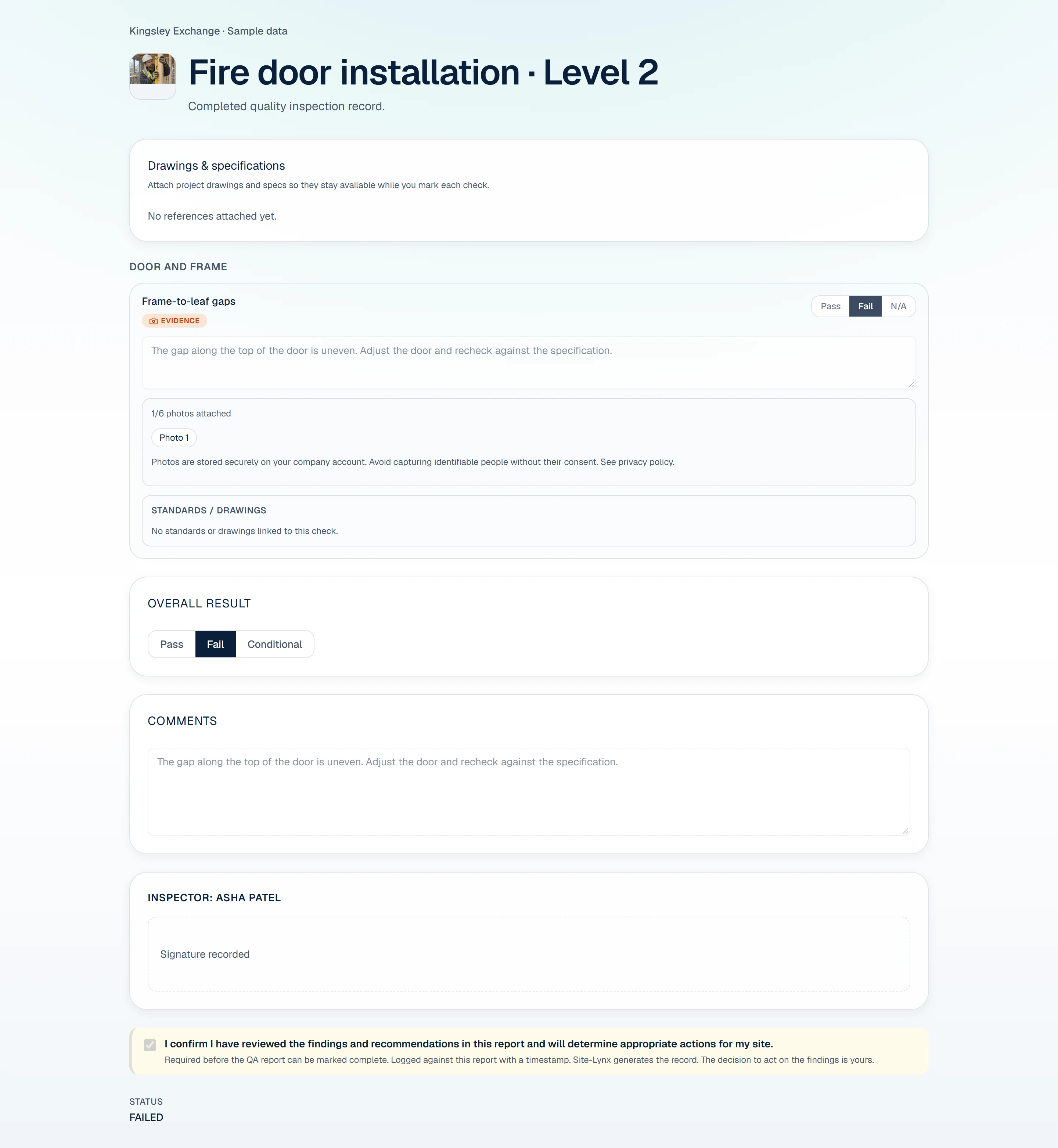
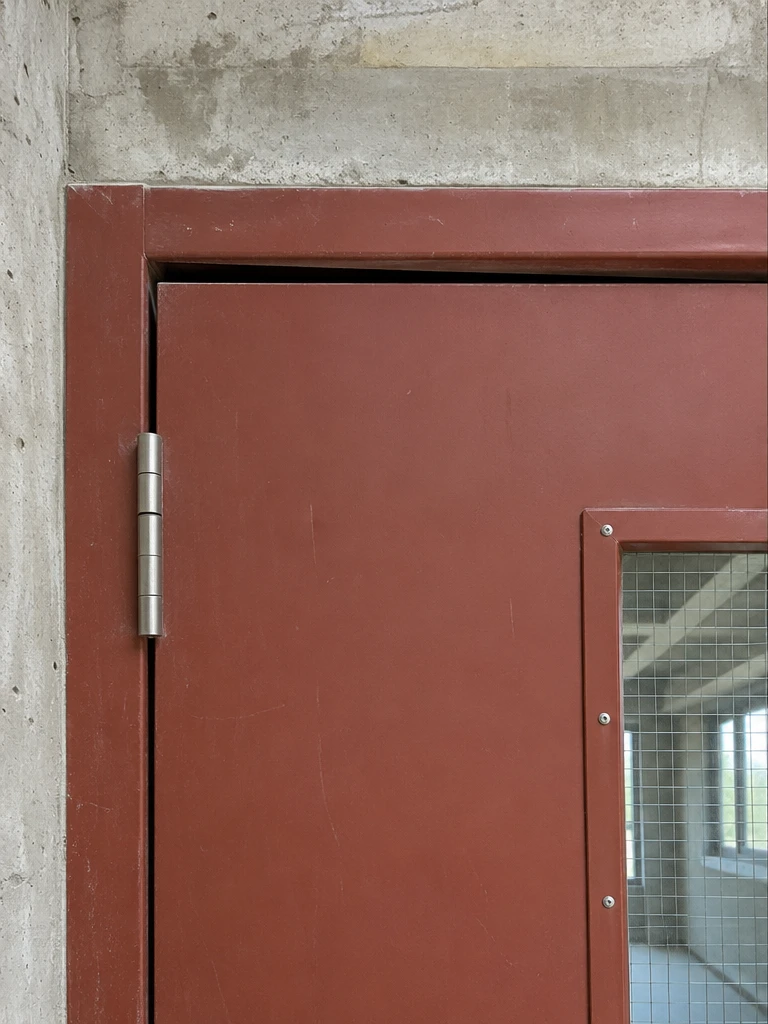
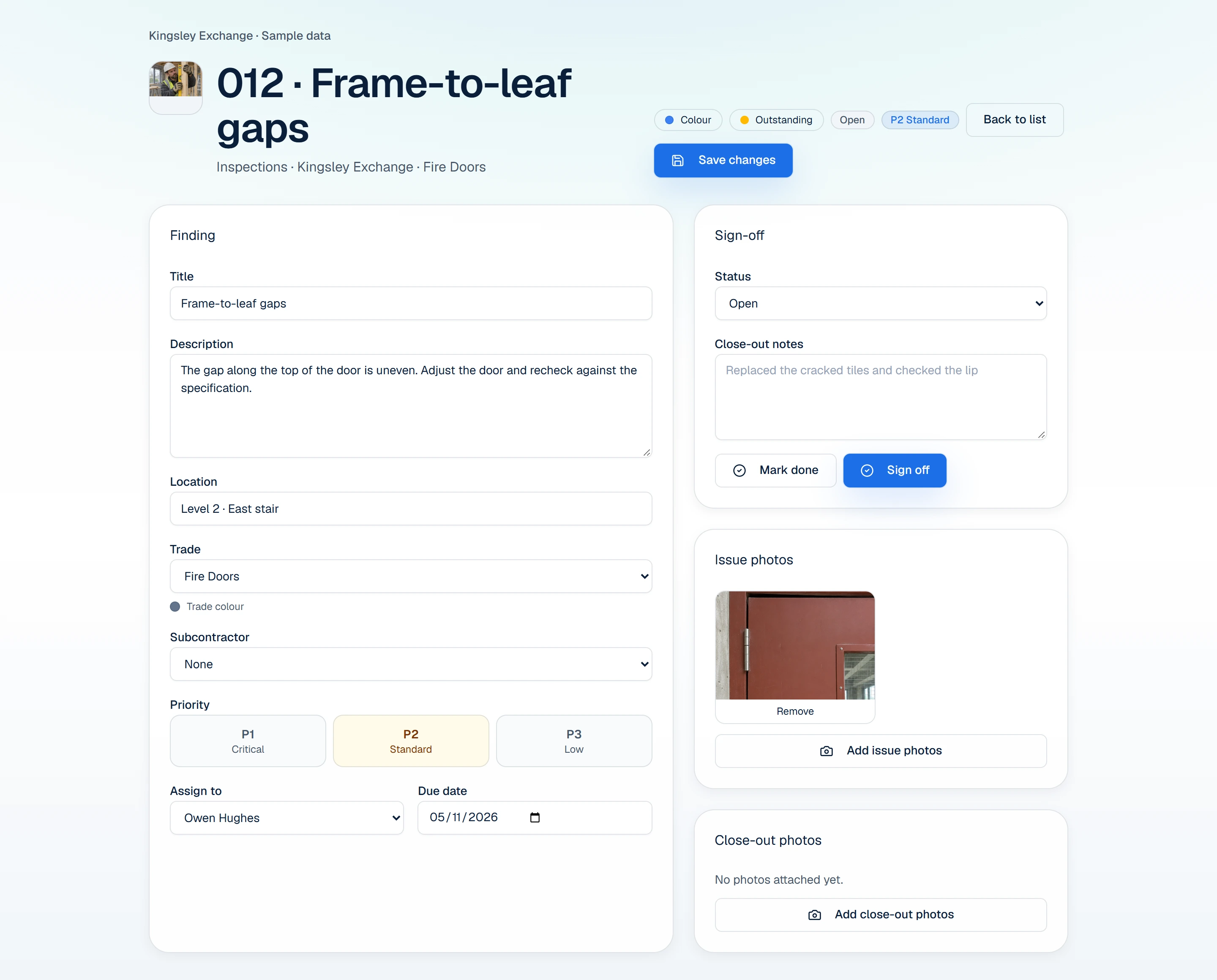
The submitted check creates a snag with the finding and original photo. The supervisor assigns it to Owen Hughes and sets a due date of 5 November.
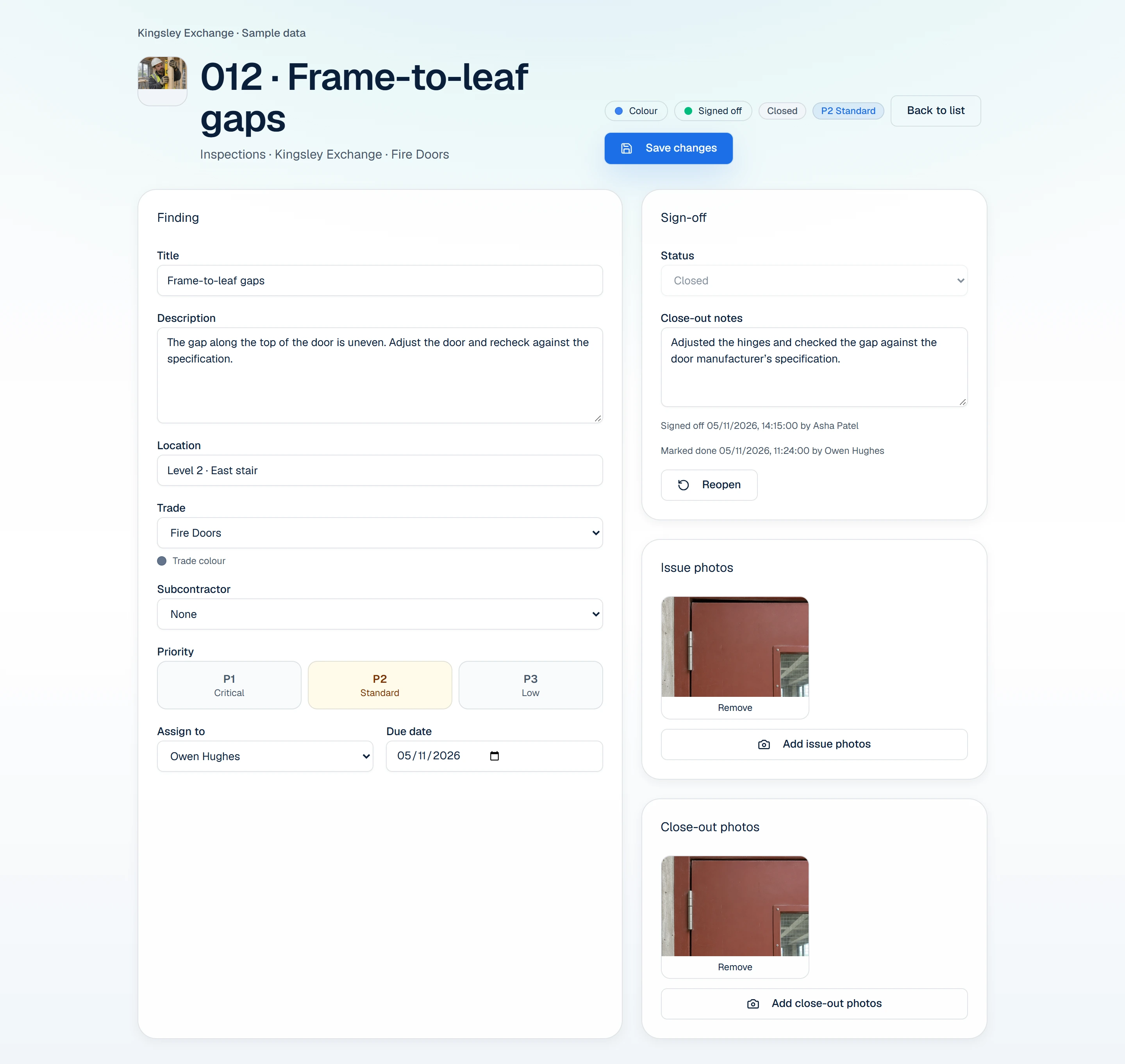
Adjusted the hinges and checked the gap against the door manufacturer’s specification. Owen Hughes adds the close-out photo and marks the snag ready for review. Asha Patel checks the evidence and signs it off on 5 November.
Card required. Paid plans renew automatically after 30 days at the selected monthly rate plus applicable VAT. See pricing.
Due 30 October. The supervisor checks the schedule and arranges the next inspection before the tower is used again.
Explore equipment inspectionsAsha Patel reviewed the repair and signed off the snag. The team can return to the snag record for the original finding, repair photo and sign-off.
See the signed-off snagYour first week
Pick a live project. Run an equipment check, attach a photo and follow one finding through to close-out. If you want to try the quality-to-snag workflow above, choose an all-tools package.
Card required. Paid plans renew automatically after 30 days at the selected monthly rate plus applicable VAT. See pricing.
Keep the information, the action and the evidence together, from the first document to the next management review.
Use shared people, fleet and company details across modules. Spend less time re-keying the same information.
Create, review and share documents with a clear approval history and worker acknowledgements.
Explore document workflowsCapture inspection notes, photos and defects where the work happens. Give every follow-up a useful record.
Explore inspections
Review overdue actions, approaching renewals and site activity without rebuilding another spreadsheet.
Built around the work
Practical modules that work together. Start with the workflows your team needs, with shared records behind every one.
Browse all modulesDigital risk assessments and method statements with approvals, signatures, and audit-ready exports.
Workflow illustration. Each action stays connected to its record.
Chemical inventory, SDS uploads, safety labels, and expiry reminders in one register.
Workflow illustration. Each action stays connected to its record.

Field-ready inspection workflows with photos, defects, and offline sync.
Workflow illustration. Each action stays connected to its record.

Connect document approvals, quality checks, workforce records and inspection evidence across your sites.
Bring RAMS, substance information, permits and worker inductions together around the task.
Connect fleet and plant checks, tool usage and site setup inspections. Keep project photos and follow-up with the work.
Your people, fleet and company details should not need a new home in every tool. Bring them together, then use the same records across your compliance workflows.
Why one connected toolboxConnected across your business
Less paperwork. Faster inspections and approvals. A connected platform that keeps compliance moving across every site.
Choose individual modules, a smaller bundle or every system tool. Add client and subcontractor access when you need it. Try your chosen paid package free for 30 days.
Every login counts, including owners and external users. Workforce records without logins do not count.
Loading current prices…
Practical reading on RAMS, COSHH and inspections, with examples and links to the original guidance.
Connect risk assessments and method statements to review, briefing and acknowledgement, with a practical document-control workflow.
Read the guideUnderstand the different jobs of a safety data sheet and a COSHH assessment, then organise substances, tasks, reviews and records together.
Read the guide
Organise a van walkaround record, capture findings and defects, and connect the check to follow-up using DVSA guidance as the reference.
Read the guideClear answers to help you choose the right setup for your team.
TheContractorsToolbox includes RAMS, COSHH, inspections, team compliance, audit trails, mobile workflows, reporting, and automation tools in one connected construction compliance platform.
Yes. TheContractorsToolbox mobile workflows let field teams complete inspections, capture evidence, and sync updates when connectivity returns.
Yes. TheContractorsToolbox scales from specialist subcontractors to multi-site contractors with role-based access and modular compliance workflows.
Yes. RAMS, inspection records, and compliance packs can be exported from TheContractorsToolbox as audit-ready PDF documents.
Onboarding depends on your team size, chosen modules and existing records. Book a Demo to discuss a rollout plan for your sites.
The standard 30-day trial for a paid package requires a card and renews at the selected monthly rate plus applicable VAT. The separate Free RAMS offer is for one login and requires no card.